SimpleStreet is a free open source Chrome extension for StreetEasy that adds the features I kept wishing the site had while apartment hunting in NYC: move-in dates on the search page, a toggle to hide sponsored listings, and notes, tags, and ratings for apartments and buildings. It’s on GitHub.
I built it because I moved to New York, had very little time to find a place, and got tired of reopening the same listings and trying to remember which building was which. StreetEasy was good enough to use, but not good enough for the kind of compressed apartment hunt I was doing, so I started filling in the gaps myself.
Install SimpleStreet or view the code on GitHub.
| Feature | Included |
|---|---|
| Show move-in dates | Yes |
| Hide sponsored listings | Yes |
| Rate apartments and buildings | Yes |
| Add notes and tags | Yes |
| Export and import data | Yes |
How to Get It
It’s on the Chrome Web Store (pending review), or for now you can install it from source. If you’ve never loaded an unpacked extension it’s less scary than it sounds:
- Clone the repo
npm installthennpm run dev(or pnpm if that’s your thing)- Go to
chrome://extensions/, turn on Developer mode - Click “Load unpacked” and select the
build/chrome-mv3-devfolder
That’s it, next time you’re on StreetEasy the extension is active.
Features
Here’s what it does. I built it quickly because I needed it quickly, so the UI is intentionally simple, but the features were genuinely useful.
Availability Dates
StreetEasy lets you filter by latest move-in date, but the actual listing results still made it annoying to tell what was available when without opening each page.
So I surfaced the availability date directly in search results.
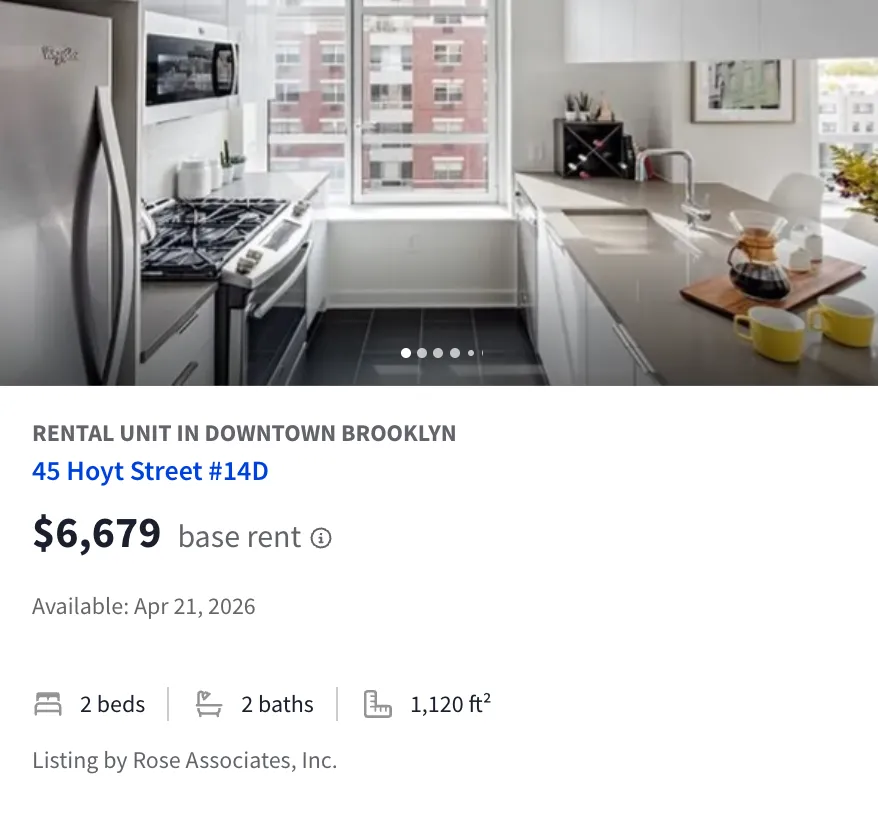
The main downside is rate limiting. Each listing kicked off an API request, so this feature definitely got me more captchas than usual. There are smarter ways to batch or cache it, but I was optimizing for “works this week” more than elegance.
Hiding Sponsored Posts
These were often outside the area I actually cared about, and the whole experience felt a little bait-and-switchy.
So there’s a toggle to hide them from the extension popup.
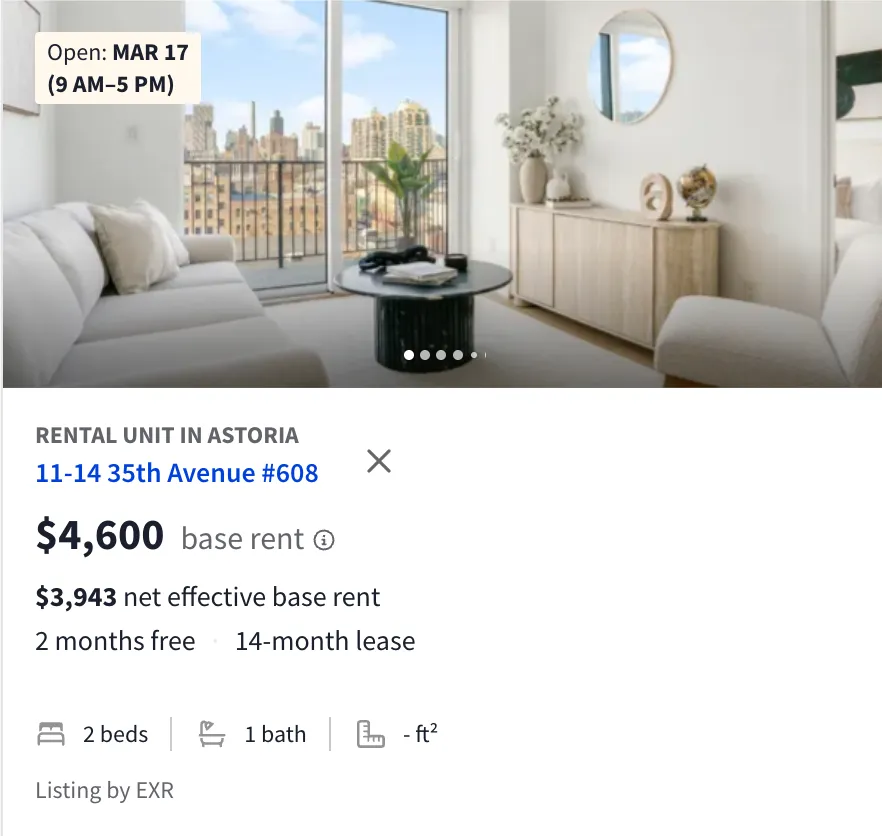
Skips
I didn’t use this feature as much as ratings, but you can skip or hide listings you already ruled out.
Favorites
This was the start of the “actually keep track of things” part of the extension. Favorites let me mark listings to come back to later.
Ratings
This was by far the most useful feature. I could rate specific listings out of 10, but more importantly I could rate buildings too. That mattered because listings disappear fast, while buildings keep showing up over and over.
It also let me pull up the apartments and buildings I’d rated highest so I could sort faster when I was trying to cram a bunch of tours into a few days.
Tags
Tags are pretty similar to ratings, but I was just using these to mark certain places mostly as to-tour or expensive.
General Comments
These were simple notes on a listing or building. Useful, but ratings were definitely the feature I relied on most.
Here’s the video
Import and Export
You can also export all of your data from local storage to JSON and reimport it later. If I ever revisit this, the obvious next step would be some light cloud sync so multiple people apartment hunting together can share notes.
It probably wouldn’t be too hard to wire that up with Convex or something similar if I ever need it again.
Built With
I’ve previously built some chrome extensions and it was a pain, but this time around I used Plasmo which is a super nice platform for helping write chrome extensions. I had used it a little bit before doing some contracting for ThirdChair YC X25 but this was the first time using it for my own project.
I also used the more basic options of React, TypeScript, Chrome Storage API for local storage, and the StreetEasy (undocumented) API itself.
If this sounds useful, the code is here: SimpleStreet on GitHub.
And if you have ideas for improving it, send them over before I have to do another apartment search.